
Cinema4D plugin · 2006
Indigo Exporter
Saves Cinema4D scenes in the Indigo Render format, so you can render them with Indigo's unbiased engine straight from Cinema4D.
Features
- Compatible with the Indigo 0.6 test 1 XML format (background element) and Indigo 0.4/0.5 features (no embedded meshes)
- Metals (using nkdata files) and fresnel scale in the phong material
- Albedo and bump maps with exponent/gain control
- Light spectrum definition: peak, blackbody, RGB
- Save scene and run Indigo, or re-save with the last scene name and render
- Sphere and plane exported as Indigo's "perfect" objects
- A 3DS object for each polygon primitive, or grouped by smoothing tag
- Focus distance calculated automatically with a target camera
- Material helper tag to map Cinema4D materials to Indigo ones
- English, Italian, German (by Micha1138B) and Spanish (by Jordan Gantier R.) interface
Installation
- Unzip into your Cinema4D
pluginsfolder. Keep the folder nameIndigo Exporter: the metal configuration fileNkData.xmlmust sit next to the.cdlfile. - On Cinema4D 9.5 and later, delete
IndigoExporter.cdland renameIndigoExporter9521.cd_toIndigoExporter9521.cdl. - The first time, open Edit → Preferences → Import/Export → Indigo Render Export and select the folder containing
Indigo.exe.
Tips
- Every polygon object (or object that becomes one, like a Boole) needs a material.
- Keep materials at least slightly different: the plugin finds them with a Cinema4D comparison function.
- Area lights are supported (position and size). A Null object can set the sun position and enable the skylight.
- Without an active camera the default camera is used. With a target camera, the focus distance comes from the target.
Tags & materials
- Config tag
- Background colour, render overrides, turbidity, global scale, field-of-view multiplier, sun link, lens radius for depth of field.
- Object tag
- Disable smooth normals for a polygon object.
- Light tag
- Indigo light parameters for area lights, or turn any polygon object into a mesh light.
- Material helper
- Maps a Cinema4D material to an Indigo material, including metals.
| Indigo material | Cinema4D channel |
|---|---|
| Diffuse | Color only |
| Specular (opaque) | Specular (width sets the exponent) |
| Specular (transparent) | Transparency: color = absorption, IOR, dispersion |
| Reflection | Reflection: color and brightness for the exponent |
Example scenes & video tutorials
Each zip contains a short screen-recorded tutorial. They were recorded in 2006 as Flash (.swf) movies, which browsers no longer play. A standalone Flash player or the Ruffle (opens in a new tab) emulator can still open them.
Version history
Twenty-two releases in six months, from the first export test to Indigo 0.6 support. The notes come from the plugin's readme.
Show all releases
| Version | Date | Changes | Download |
|---|---|---|---|
| 0.59.7 | 2006-08-20 | Compatible with the Indigo 0.6 test 1 format (background element). | zip |
| 0.59.6b | 2006-06-10 | Fixed area lights without a Light tag (thanks ello). | zip |
| 0.59.6 | 2006-06-08 | Indigo 0.5 test 7. Fresnel scale in the phong material. | zip |
| 0.59.5 | 2006-06-06 | Indigo 0.5 test 6. Metals in the phong material (helper tag lists the nkdata files). | zip |
| 0.59.4 | 2006-05-18 | Indigo 0.5 test 3. White balance, sky gain, sub-folders for EXR/RAW environment maps, new overrides. | zip |
| 0.59.3 | 2006-05-18 | Fixed lens sensor width and focus distance. | zip |
| 0.59.2 | 2006-05-15 | Fixed material/light tag bug in 9.521. Bidirectional override. | zip |
| 0.59.1 | 2006-05-14 | New spectrum definition (peak, blackbody, RGB). | zip |
| 0.59 | 2006-05-09 | Moved to the Indigo 0.5 scene format. | zip |
| 0.58.2 | 2006-05-03 | Background colour and FOV multiplier fixes (thanks MrMoose, Phoenix), aspect ratio (for WLAD). Last release for the Indigo 0.4 format. | zip |
| 0.58.1 | 2006-04-09 | Gain/exponent parameters for textures. | zip |
| 0.58 | 2006-04-09 | Texturing. | zip |
| 0.57 | 2006-04-09 | Indigo 0.4 scene format (external 3DS files, no texturing yet). | zip |
| 0.56 | 2006-03-27 | Italian, Spanish and German translations. Reflection channel mapping, mesh lights without materials, tone-mapping and scale fixes (thanks Petr). | zip |
| 0.55 | 2006-03-06 | Material helper tag and its tutorial video. Builds for Cinema4D 9.102 and 9.521. | zip |
| 0.51 | 2006-02-28 | Material handling fixes. "Save As and Render" command. | zip |
| 0.5 | 2006-02-28 | Save & Run Indigo command. Compatible with the Indigo 0.3 final specs. | zip |
| 0.4 | 2006-02-24 | First dual 3DS export, relative paths, better light parameters. | zip |
| 0.3 | 2006-02-19 | 3DS positioning fix, tutorial videos. | zip |
| 0.2 | 2006-02-19 | 3DS positioning fix. | zip |
| 0.1b | 2006-02-19 | Cinema4D 9.102 compatibility fix. | zip |
| 0.1 | 2006-02-18 | First release, with a materials video. | zip |
Made with the exporter
Users shared their renders in a small gallery.



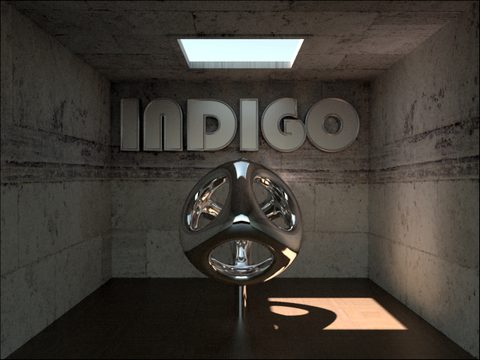
Indigo is an unbiased render engine created by Nicholas Chapman, today developed at indigorenderer.com (opens in a new tab). The exporter uses TinyXML (opens in a new tab) (link to a GitHub mirror; the original site is gone). Cinema4D is a Maxon product. Thanks to everyone who tested and reported bugs, from the old #flipcode Indigo forum to the e-mails.